
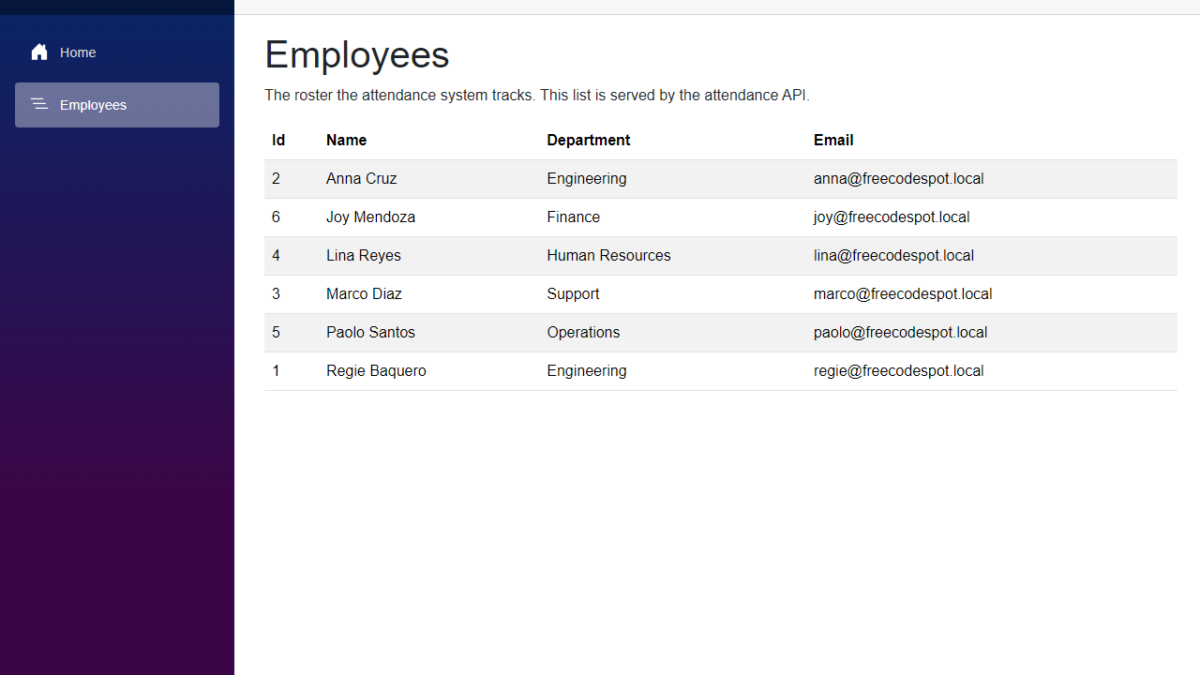
In this tutorial, we will move the employee roster of our Employee Attendance System from memory into SQL Server using Entity Framework Core. We will add a DbContext, create the first migration with the five employees as seed data, and replace the in-memory repository with one that reads from the database. The Employees page will not change at all, and that is the point. I used Claude Code to generate the code again, so I will also show what it generated and what we changed before keeping it.
Table of Contents
What We're Building
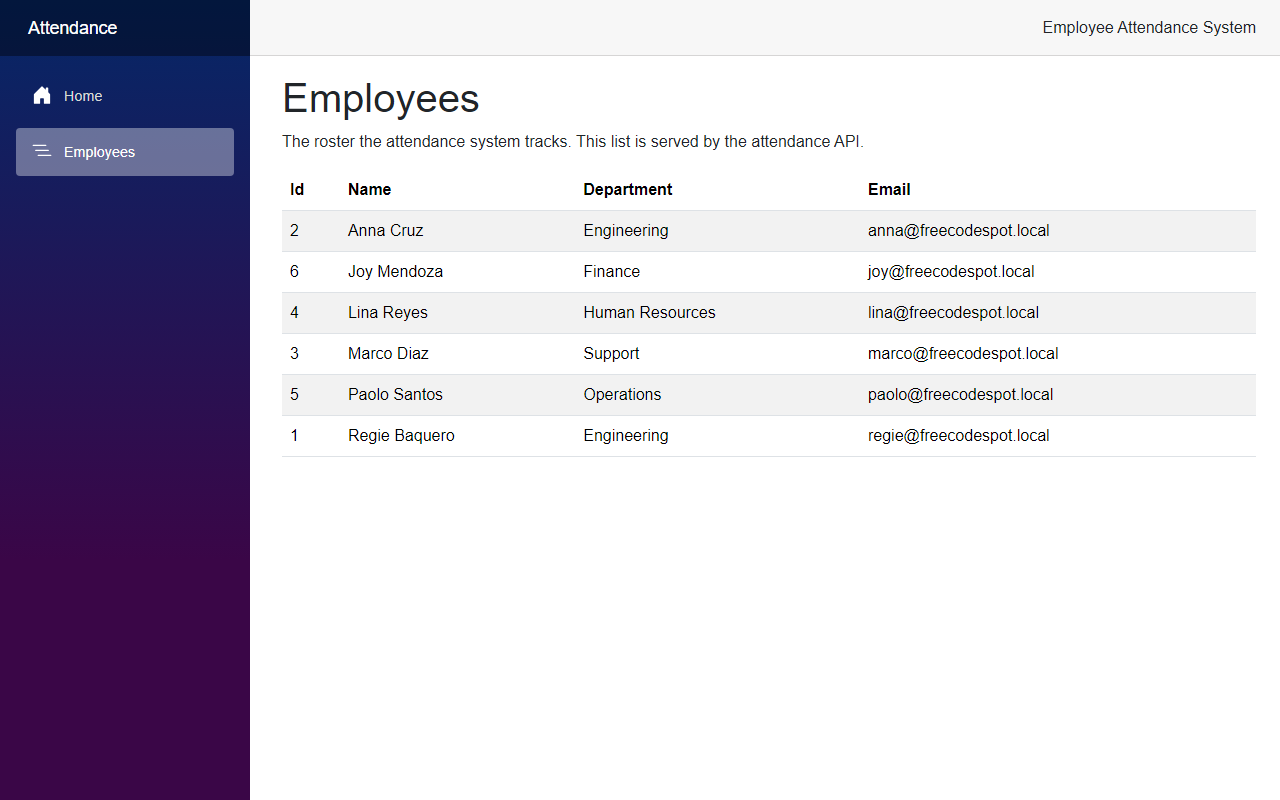
By the end of this article, the Employees page shows the same roster as before, but the rows now come from a SQL Server table.
Now let's see how we built it.
Before We Start
Before we start, make sure you have the following installed:
- .NET 10 SDK (I used 10.0.401)
- SQL Server LocalDB. It comes with Visual Studio. Any other SQL Server instance works too if you change the connection string.
- The EF Core command-line tools. I used version 10.0.12.
- Claude Code
If you do not have the EF Core tools yet, install them with this command:
dotnet tool install --global dotnet-efI also use sqlcmd near the end to add an employee directly to the database. You can use SQL Server Management Studio for that instead.
Starting Point
In the previous article, the roster lived in a class called InMemoryEmployeeRepository. It held a fixed array of five employees, and it was registered behind the IEmployeeRepository interface in AddInfrastructure().
That interface is what makes this article small. The API, the service and the Blazor page only know about IEmployeeRepository, so we can change where the data comes from without touching them.
The Goal
- Add Entity Framework Core with the SQL Server provider to the Infrastructure project
- Create an
AttendanceDbContextand mapEmployeeto anEmployeestable - Seed the same five employees through the first migration
- Replace
InMemoryEmployeeRepositorywithEfEmployeeRepository - Read the connection string from
appsettings.json - Run the integration tests against a real SQL Server test database
Building It with AI
Step 1 – Add the Entity Framework Core packages
I asked Claude Code to move the roster to SQL Server with EF Core, keep IEmployeeRepository as it is, and seed the same five employees. The first thing it did was add two packages.
dotnet add src/FreeCodeSpot.Attendance.Infrastructure package Microsoft.EntityFrameworkCore.SqlServer
dotnet add src/FreeCodeSpot.Attendance.Api package Microsoft.EntityFrameworkCore.Design
The SQL Server provider goes in Infrastructure because that is where the database code lives. The Design package goes in the API project because the API is the startup project. The dotnet ef commands build and start it to read the configuration.
Step 2 – Create the DbContext
Now let's create the DbContext. In the Infrastructure project, add a Persistence folder and create AttendanceDbContext.cs.
src/FreeCodeSpot.Attendance.Infrastructure/Persistence/AttendanceDbContext.cs
using FreeCodeSpot.Attendance.Domain.Employees;
using Microsoft.EntityFrameworkCore;

namespace FreeCodeSpot.Attendance.Infrastructure.Persistence;

/// <summary>
/// The EF Core session for the attendance database. Table mappings live in
/// their own configuration classes so this file stays short as tables are added.
/// </summary>
public sealed class AttendanceDbContext(DbContextOptions<AttendanceDbContext> options)
    : DbContext(options)
{
    public DbSet<Employee> Employees => Set<Employee>();

    protected override void OnModelCreating(ModelBuilder modelBuilder)
    {
        modelBuilder.ApplyConfigurationsFromAssembly(typeof(AttendanceDbContext).Assembly);
    }
}
ApplyConfigurationsFromAssembly picks up every mapping class in the Infrastructure project, so we do not have to register each one here.
Step 3 – Map the Employees table and seed the roster
Next, create the mapping for Employee. Inside Persistence, add a Configurations folder and create EmployeeConfiguration.cs.
src/FreeCodeSpot.Attendance.Infrastructure/Persistence/Configurations/EmployeeConfiguration.cs
using FreeCodeSpot.Attendance.Domain.Employees;
using Microsoft.EntityFrameworkCore;
using Microsoft.EntityFrameworkCore.Metadata.Builders;

namespace FreeCodeSpot.Attendance.Infrastructure.Persistence.Configurations;

/// <summary>
/// Maps Employee to the Employees table and seeds the starting roster.
/// The seed rows are part of the migration, so every new database starts
/// with the same five employees.
/// </summary>
public sealed class EmployeeConfiguration : IEntityTypeConfiguration<Employee>
{
    public void Configure(EntityTypeBuilder<Employee> builder)
    {
        builder.ToTable("Employees");

        builder.HasKey(employee => employee.Id);

        builder.Property(employee => employee.FullName)
            .HasMaxLength(100)
            .IsRequired();

        builder.Property(employee => employee.Department)
            .HasMaxLength(50)
            .IsRequired();

        builder.Property(employee => employee.Email)
            .HasMaxLength(256)
            .IsRequired();

        builder.HasIndex(employee => employee.Email)
            .IsUnique();

        builder.HasData(
            new Employee(1, "Regie Baquero", "Engineering", "regie@freecodespot.local"),
            new Employee(2, "Anna Cruz", "Engineering", "anna@freecodespot.local"),
            new Employee(3, "Marco Diaz", "Support", "marco@freecodespot.local"),
            new Employee(4, "Lina Reyes", "Human Resources", "lina@freecodespot.local"),
            new Employee(5, "Paolo Santos", "Operations", "paolo@freecodespot.local"));
    }
}
The max lengths matter. Without them, EF Core creates every string column as nvarchar(max). The unique index on Email stops two employees from sharing an email address.
HasData is where the five employees from the old in-memory array ended up. The seed rows become part of the migration, so every new database starts with the same roster.
Notice that we did not change the Employee record from the first article. EF Core can create a positional record through its constructor, because the parameter names match the property names.
Step 4 – Replace the in-memory repository
Now let's create the repository that reads from the database. In the Employees folder of the Infrastructure project, create EfEmployeeRepository.cs.
src/FreeCodeSpot.Attendance.Infrastructure/Employees/EfEmployeeRepository.cs
using FreeCodeSpot.Attendance.Application.Employees;
using FreeCodeSpot.Attendance.Domain.Employees;
using FreeCodeSpot.Attendance.Infrastructure.Persistence;
using Microsoft.EntityFrameworkCore;

namespace FreeCodeSpot.Attendance.Infrastructure.Employees;

/// <summary>
/// Reads the roster from SQL Server through EF Core. The queries are read-only,
/// so change tracking is switched off.
/// </summary>
public sealed class EfEmployeeRepository(AttendanceDbContext db) : IEmployeeRepository
{
    public IReadOnlyList<Employee> GetAll() =>
        db.Employees
            .AsNoTracking()
            .ToList();

    public Employee? GetById(int id) =>
        db.Employees
            .AsNoTracking()
            .FirstOrDefault(employee => employee.Id == id);
}
It implements the same IEmployeeRepository interface as before. AsNoTracking tells EF Core not to keep a copy of each row for change tracking, because we only read here.
After that, delete InMemoryEmployeeRepository.cs. Nothing uses it anymore.
Step 5 – Register the DbContext
Open DependencyInjection.cs and replace the in-memory registration.
src/FreeCodeSpot.Attendance.Infrastructure/DependencyInjection.cs
using FreeCodeSpot.Attendance.Application.Employees;
using FreeCodeSpot.Attendance.Infrastructure.Employees;
using FreeCodeSpot.Attendance.Infrastructure.Persistence;
using Microsoft.EntityFrameworkCore;
using Microsoft.Extensions.DependencyInjection;

namespace FreeCodeSpot.Attendance.Infrastructure;

/// <summary>
/// Registers the Infrastructure implementations. Keeping this here means the
/// API never names a concrete storage class.
/// </summary>
public static class DependencyInjection
{
    public static IServiceCollection AddInfrastructure(
        this IServiceCollection services,
        string connectionString)
    {
        services.AddDbContext<AttendanceDbContext>(options =>
            options.UseSqlServer(connectionString));

        services.AddScoped<IEmployeeRepository, EfEmployeeRepository>();
        return services;
    }
}
Two things changed here. AddInfrastructure now takes the connection string, and the repository is scoped instead of a singleton. A DbContext lives for one request, so the repository that uses it has to be scoped too.
We also removed the Microsoft.Extensions.DependencyInjection.Abstractions package reference from the Infrastructure project. The SQL Server package already brings it in.
Step 6 – Add the connection string
Now open appsettings.json in the API project and add the connection string.
src/FreeCodeSpot.Attendance.Api/appsettings.json
{
  "ConnectionStrings": {
    "AttendanceDb": "Server=(localdb)\\MSSQLLocalDB;Database=FreeCodeSpotAttendance;Trusted_Connection=True;TrustServerCertificate=True"
  },
  "Logging": {
    "LogLevel": {
      "Default": "Information",
      "Microsoft.AspNetCore": "Warning"
    }
  },
  "AllowedHosts": "*"
}
This points to LocalDB and uses Windows authentication, so there is no password in the file. If you use a full SQL Server instance, change the Server part.
Next, open Program.cs in the API project and pass the connection string to AddInfrastructure. I am only showing the part that changed.
src/FreeCodeSpot.Attendance.Api/Program.cs
// ... unrelated code omitted

var builder = WebApplication.CreateBuilder(args);

builder.Services.AddOpenApi();

var connectionString = builder.Configuration.GetConnectionString("AttendanceDb")
    ?? throw new InvalidOperationException(
        "ConnectionStrings:AttendanceDb is not configured. Add it to appsettings.json.");

builder.Services.AddInfrastructure(connectionString);
builder.Services.AddScoped<EmployeeService>();

// ... unrelated code omitted
This follows the same pattern as the API base URL in the Web project. If the setting is missing, the app stops at startup and tells you what to add.
Step 7 – Create the migration and the database
Now we can create the first migration. Run this from the solution folder:
dotnet ef migrations add InitialCreate --project src/FreeCodeSpot.Attendance.Infrastructure --startup-project src/FreeCodeSpot.Attendance.Api --output-dir Persistence/MigrationsEF Core creates three files in Persistence/Migrations. The one to read is the migration itself. I am showing the Up method.
src/FreeCodeSpot.Attendance.Infrastructure/Persistence/Migrations/20260927024716_InitialCreate.cs
protected override void Up(MigrationBuilder migrationBuilder)
{
    migrationBuilder.CreateTable(
        name: "Employees",
        columns: table => new
        {
            Id = table.Column<int>(type: "int", nullable: false)
                .Annotation("SqlServer:Identity", "1, 1"),
            FullName = table.Column<string>(type: "nvarchar(100)", maxLength: 100, nullable: false),
            Department = table.Column<string>(type: "nvarchar(50)", maxLength: 50, nullable: false),
            Email = table.Column<string>(type: "nvarchar(256)", maxLength: 256, nullable: false)
        },
        constraints: table =>
        {
            table.PrimaryKey("PK_Employees", x => x.Id);
        });

    migrationBuilder.InsertData(
        table: "Employees",
        columns: new[] { "Id", "Department", "Email", "FullName" },
        values: new object[,]
        {
            { 1, "Engineering", "regie@freecodespot.local", "Regie Baquero" },
            { 2, "Engineering", "anna@freecodespot.local", "Anna Cruz" },
            { 3, "Support", "marco@freecodespot.local", "Marco Diaz" },
            { 4, "Human Resources", "lina@freecodespot.local", "Lina Reyes" },
            { 5, "Operations", "paolo@freecodespot.local", "Paolo Santos" }
        });

    migrationBuilder.CreateIndex(
        name: "IX_Employees_Email",
        table: "Employees",
        column: "Email",
        unique: true);
}
Always read a generated migration before you apply it. This one has what we asked for. It creates the table with the column lengths from the configuration, inserts the five employees and adds the unique index on Email. The Id column is an identity column, so new rows get the next number automatically.
Your file name will start with a different timestamp. That is normal.
Now create the database:
dotnet ef database update --project src/FreeCodeSpot.Attendance.Infrastructure --startup-project src/FreeCodeSpot.Attendance.ApiThe command prints the SQL it runs. The important lines are at the end:
Applying migration '20260927024716_InitialCreate'.
Done.
Step 8 – Point the tests at a real database
The unit tests for InMemoryEmployeeRepository went away with the class. The repository now talks to SQL Server, so testing it without SQL Server would not tell us much. I asked Claude to test it against a real database instead.
It created a test factory that starts the API with a different connection string. Before the tests run, it rebuilds a separate FreeCodeSpotAttendance_Tests database from the migrations. When the tests finish, it drops that database.
tests/FreeCodeSpot.Attendance.IntegrationTests/AttendanceApiFactory.cs
using FreeCodeSpot.Attendance.Infrastructure.Persistence;
using Microsoft.AspNetCore.Hosting;
using Microsoft.AspNetCore.Mvc.Testing;
using Microsoft.EntityFrameworkCore;
using Microsoft.Extensions.DependencyInjection;

namespace FreeCodeSpot.Attendance.IntegrationTests;

/// <summary>
/// Boots the API against its own SQL Server database. The database is rebuilt
/// from the migrations before the tests run and dropped afterwards, so the
/// tests never touch the development data and always see the seeded roster.
/// </summary>
public sealed class AttendanceApiFactory : WebApplicationFactory<Program>, IAsyncLifetime
{
    private const string TestConnectionString =
        @"Server=(localdb)\MSSQLLocalDB;Database=FreeCodeSpotAttendance_Tests;Trusted_Connection=True;TrustServerCertificate=True";

    protected override void ConfigureWebHost(IWebHostBuilder builder)
    {
        builder.UseSetting("ConnectionStrings:AttendanceDb", TestConnectionString);
    }

    public async Task InitializeAsync()
    {
        using var scope = Services.CreateScope();
        var db = scope.ServiceProvider.GetRequiredService<AttendanceDbContext>();

        await db.Database.EnsureDeletedAsync();
        await db.Database.MigrateAsync();
    }

    async Task IAsyncLifetime.DisposeAsync()
    {
        using (var scope = Services.CreateScope())
        {
            var db = scope.ServiceProvider.GetRequiredService<AttendanceDbContext>();
            await db.Database.EnsureDeletedAsync();
        }

        await base.DisposeAsync();
    }
}
MigrateAsync runs the same migration we just created, so the tests also check that the migration works.
Be careful with this factory. EnsureDeletedAsync drops a database. If UseSetting did not override the connection string, it would drop your development database. I checked this after the first test run. FreeCodeSpotAttendance was still there and FreeCodeSpotAttendance_Tests was gone.
Both test classes share one factory through an xUnit collection.
tests/FreeCodeSpot.Attendance.IntegrationTests/AttendanceApiCollection.cs
namespace FreeCodeSpot.Attendance.IntegrationTests;

/// <summary>
/// Every test class that talks to the database joins this collection, so they
/// share one AttendanceApiFactory and one test database, and never run in
/// parallel against it.
/// </summary>
[CollectionDefinition(Name)]
public sealed class AttendanceApiCollection : ICollectionFixture<AttendanceApiFactory>
{
    public const string Name = "Attendance API";
}
The endpoint tests from the first article only needed a new class header. The test methods did not change.
tests/FreeCodeSpot.Attendance.IntegrationTests/Employees/EmployeeEndpointsTests.cs
[Collection(AttendanceApiCollection.Name)]
public class EmployeeEndpointsTests(AttendanceApiFactory factory)
{
    private readonly HttpClient client = factory.CreateClient();

    // ... unrelated code omitted
}
The old repository tests moved to a new EfEmployeeRepositoryTests class in the same folder. They check the seeded roster, unique ids, lookup by id and a missing id, now against SQL Server. I am showing the setup and one of the four tests.
tests/FreeCodeSpot.Attendance.IntegrationTests/Employees/EfEmployeeRepositoryTests.cs
[Collection(AttendanceApiCollection.Name)]
public sealed class EfEmployeeRepositoryTests : IDisposable
{
    private readonly IServiceScope scope;
    private readonly IEmployeeRepository repository;

    public EfEmployeeRepositoryTests(AttendanceApiFactory factory)
    {
        scope = factory.Services.CreateScope();
        repository = scope.ServiceProvider.GetRequiredService<IEmployeeRepository>();
    }

    public void Dispose() => scope.Dispose();

    // ... unrelated code omitted

    [Fact]
    public void GetById_ReturnsTheMatchingEmployee()
    {
        var employee = repository.GetById(3);

        Assert.NotNull(employee);
        Assert.Equal("Marco Diaz", employee.FullName);
        Assert.Equal("Support", employee.Department);
    }
}
xUnit creates a new instance of the test class for every test. So each test gets its repository from a fresh DI scope, the same way a request would, and Dispose closes the DbContext when the test is done.
The repository comes from the API's own service container, so this is the real EfEmployeeRepository with the real SQL Server registration. There are no mocks and no in-memory provider here.
Now run the tests from the solution folder.
dotnet testWe still have 10 tests, but the split changed. The unit test project has the 3 EmployeeService tests, and the integration test project has 7 tests that run against SQL Server.
Passed!  - Failed:     0, Passed:     3, Skipped:     0, Total:     3, Duration: 50 ms - FreeCodeSpot.Attendance.UnitTests.dll (net10.0)
Passed!  - Failed:     0, Passed:     7, Skipped:     0, Total:     7, Duration: 662 ms - FreeCodeSpot.Attendance.IntegrationTests.dll (net10.0)
Reviewing the Generated Code
Claude's first version built without errors, but a few things changed before I kept it.
The two test classes each had their own factory. In the first version, each test class used IClassFixture. xUnit runs test classes in parallel, so two factories would drop and rebuild the same test database at the same time. That might pass on one run and fail on the next. We changed it before the first test run and moved both classes into one collection, so they share a single factory and run one after the other.
The repository tests did not dispose their scope. The first version created a DI scope inside a helper method and never disposed it, which leaves a DbContext open for every test. The test class now creates the scope in its constructor and disposes it in Dispose.
SingleOrDefault became FirstOrDefault. EF Core logs every query it runs, so I checked the API output. GetById used SingleOrDefault, which sends SELECT TOP(2) because EF Core has to check that there is only one match. Id is the primary key, so there can only be one. With FirstOrDefault the query is SELECT TOP(1):
SELECT TOP(1) [e].[Id], [e].[Department], [e].[Email], [e].[FullName]
FROM [Employees] AS [e]
WHERE [e].[Id] = @id
The repository methods are still synchronous. EF Core has async methods like ToListAsync, and they are the better choice for database calls. Using them would mean changing IEmployeeRepository, EmployeeService, the endpoints and the tests. I kept this article to the storage change only, so the interface stays synchronous.
The database is not created at startup. Claude did not add Database.Migrate() to Program.cs, and I agree with that. You run dotnet ef database update yourself, so the database never changes just because the app started.
Sorting still happens in EmployeeService. The repository returns the rows and the service sorts them by name, the same as before. We could sort in SQL with OrderBy, but then the unit tests for the sort order would have nothing to test.
Seeing It in Action
Now let's run the employee attendance system. Start the API first, then the Web app, in two terminals.
cd src/FreeCodeSpot.Attendance.Api
dotnet run --launch-profile https
cd src/FreeCodeSpot.Attendance.Web
dotnet run --launch-profile httpsOpen https://localhost:7098/employees. You should see the same page as in the first article:
The API returns the same JSON as before. Open https://localhost:7020/api/employees:

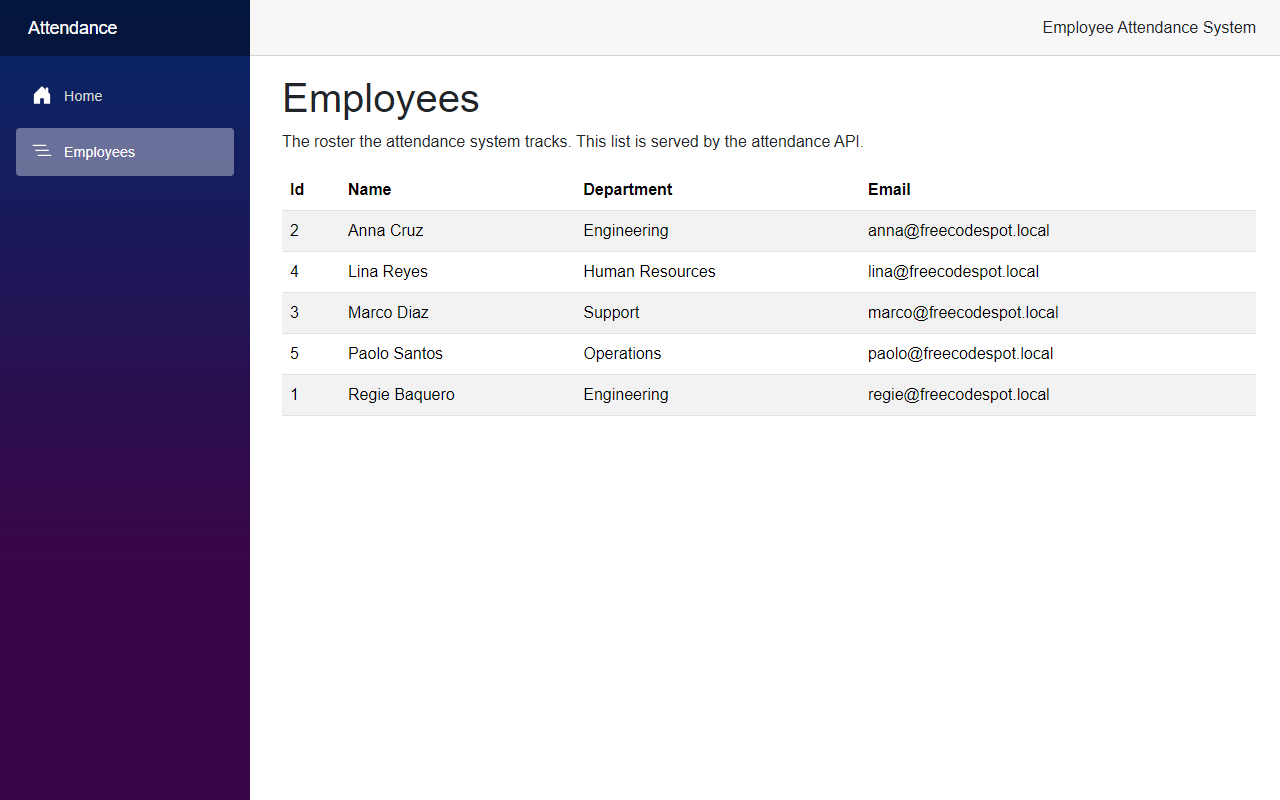
A page that looks exactly the same does not prove much. So let's add an employee directly to the database, without touching the code:
sqlcmd -S "(localdb)\MSSQLLocalDB" -d FreeCodeSpotAttendance -Q "INSERT INTO Employees (FullName, Department, Email) VALUES ('Joy Mendoza', 'Finance', 'joy@freecodespot.local')"Now reload the Employees page:
I also stopped and restarted the API after adding her. She was still in the list, which never happened with the in-memory array.
Project Structure
These are the files this article added, changed or removed.
src/
  FreeCodeSpot.Attendance.Infrastructure/
    FreeCodeSpot.Attendance.Infrastructure.csproj     changed
    DependencyInjection.cs                            changed
    Employees/EfEmployeeRepository.cs                 added
    Employees/InMemoryEmployeeRepository.cs           removed
    Persistence/AttendanceDbContext.cs                added
    Persistence/Configurations/EmployeeConfiguration.cs   added
    Persistence/Migrations/                           added (3 files)
  FreeCodeSpot.Attendance.Api/
    FreeCodeSpot.Attendance.Api.csproj                changed
    Program.cs                                        changed
    appsettings.json                                  changed
tests/
  FreeCodeSpot.Attendance.UnitTests/
    FreeCodeSpot.Attendance.UnitTests.csproj          changed
    Employees/InMemoryEmployeeRepositoryTests.cs      removed
  FreeCodeSpot.Attendance.IntegrationTests/
    AttendanceApiFactory.cs                           added
    AttendanceApiCollection.cs                        added
    Employees/EfEmployeeRepositoryTests.cs            added
    Employees/EmployeeEndpointsTests.cs               changed
Source Code
You can find the complete source code for this tutorial on GitHub. The code is tagged article-002 so it stays exactly as described here.
Summary
In this tutorial, we moved the employee roster of the Employee Attendance System into SQL Server with Entity Framework Core, using a DbContext, a seeded migration and a new repository behind the same interface. We also changed the integration tests to run against a real test database and confirmed the page reads live data from the table.
